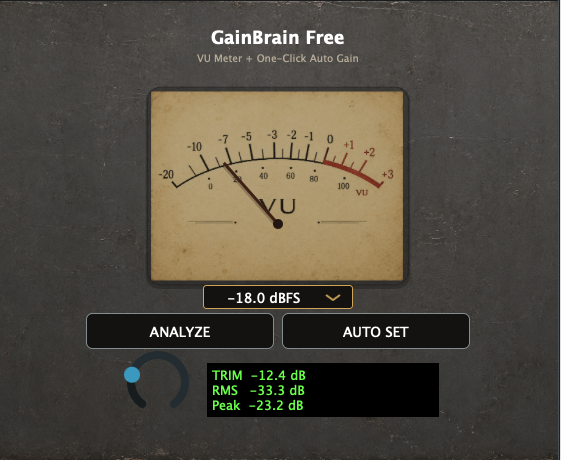
GainBrain Free
Set an input Trim with Auto Gain and a visible VU meter. Select the dBFS target appropriate for your chain.
AudioBrain / Production tools / Gain
Prepare a useful operating level before the rest of your mix chain. Choose the clean FREE workflow or add subtle analog-path character with GainBrain Pro.
macOS 11 or later · Apple Silicon and Intel Macs · AU / VST3 · Windows and AAX not included
01 / THE FIRST INSERT
GainBrain is intended for the signal before its level-sensitive processors, not for continuous vocal riding or maximizing loudness.
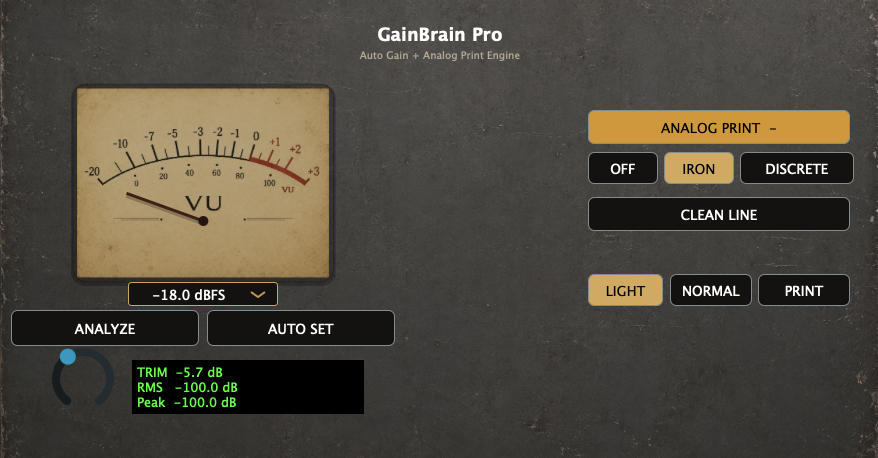
Auto Trim + Analog Print.
Analyze the source, set a stable input Trim with a 0 VU = −18 dBFS reference and monitor RMS, Peak and headroom. Optionally choose Iron, Discrete or Clean Line for the Analog Print path, each with Light, Normal or Print depth.
02 / TRY IT FREE
Download both from a single Gumroad product. No trial expiry or watermark is advertised on the current FREE listing.
Set an input Trim with Auto Gain and a visible VU meter. Select the dBFS target appropriate for your chain.
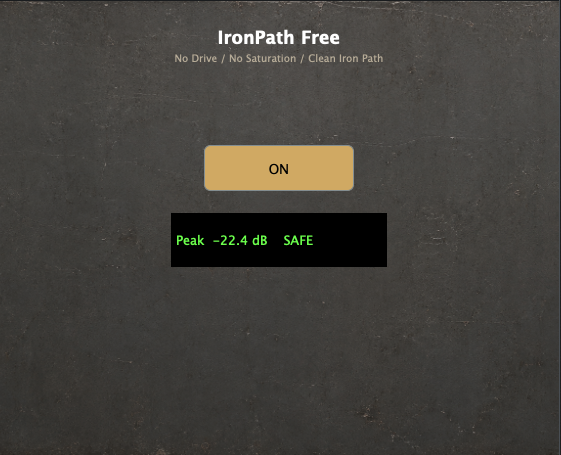
A separate, deliberately clean iron-path stage, with on/off control. Built for subtlety rather than overt distortion.
03 / MAKE THE CHOICE
| Purpose | FREE | PRO |
|---|---|---|
| Auto Gain / input Trim | Included | Included |
| VU-based gain staging | Included | Included |
| Analog Print engine | — | Iron / Discrete / Clean Line |
| Analog Print depth | — | Light / Normal / Print |
| Price | $0 | $59 |
GainBrain prepares a track's level; it does not replace EQ, compression, automation or a full mixing workflow. For full-session mixing decisions, see MixBrain V3 ↗.
READY FOR YOUR NEXT SESSION
Use the FREE plugins if you only need input-level preparation. Upgrade to Pro only when Analog Print offers value for your workflow.
TRY GAINBRAIN FREE